My Portfolio
In both storytelling and learning design, showing is better than telling—let me show you what I do.
The examples below showcase my work and highlight some of the thought processes that go into my learning solutions.
Simulations
Form Simulations
When it is crucial for users of a process to complete the process exactly like each other user, I often use Articulate Storyline to replicate the process, scaffolding the information with interactive elements. For much of the work I have done, that means having users be able to fill out a form exactly as the designer intended and in the exact same manner as other users of the form.
The following are two examples of interactions in which the user fills out a simulation of a form. Each time the user makes a mistake, the form gives specific feedback based on which error the user made.
Both of these examples are part of larger training modules that model other parts of the specific system processes (like information collection and in-person interviews).
Risk Assessment
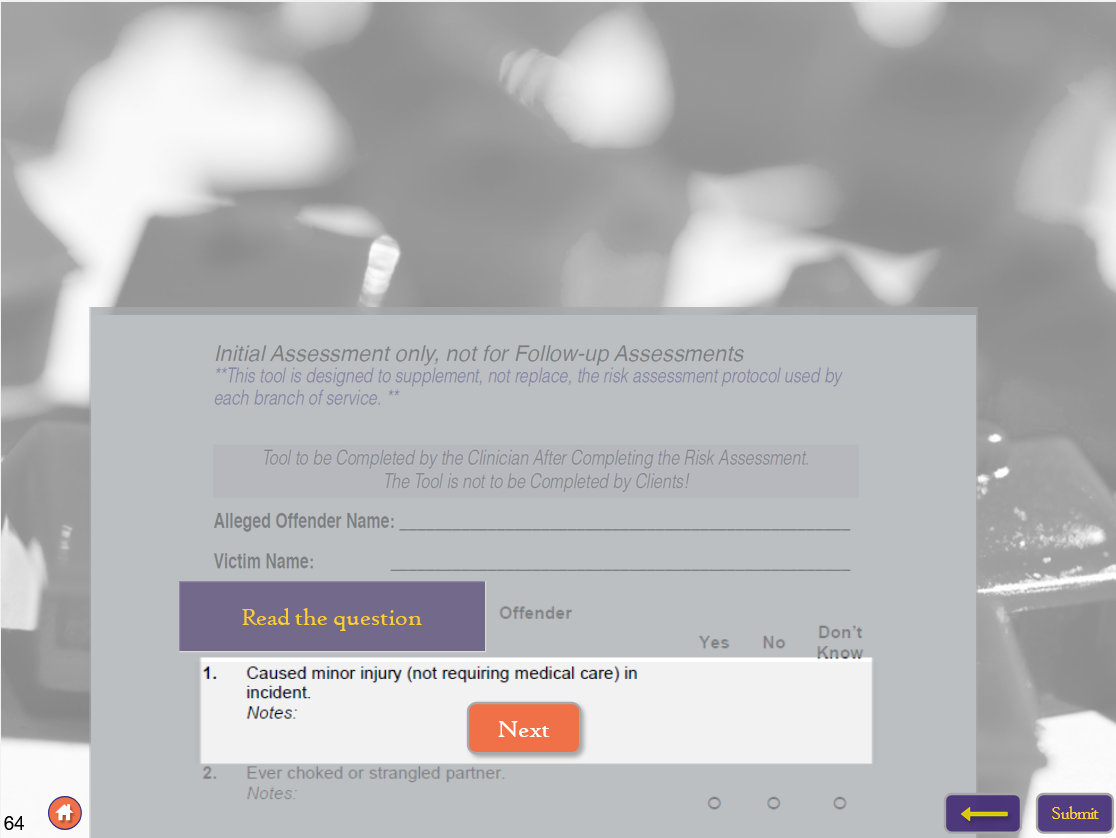
This training was used to teach clinicians how to properly use a new intake form to assess for the possibility of domestic abuse.
This interaction was the final part of the training, where the user completed an interactive interview, and their notes were recorded to be used in this section to fill out the form. Notice how the interface is scaffolded. The purple instruction boxes guide the user through the interface one step at a time so it is easy to understand how to interact with the module.
Problematic Sexual Behaviors Assessment Tool
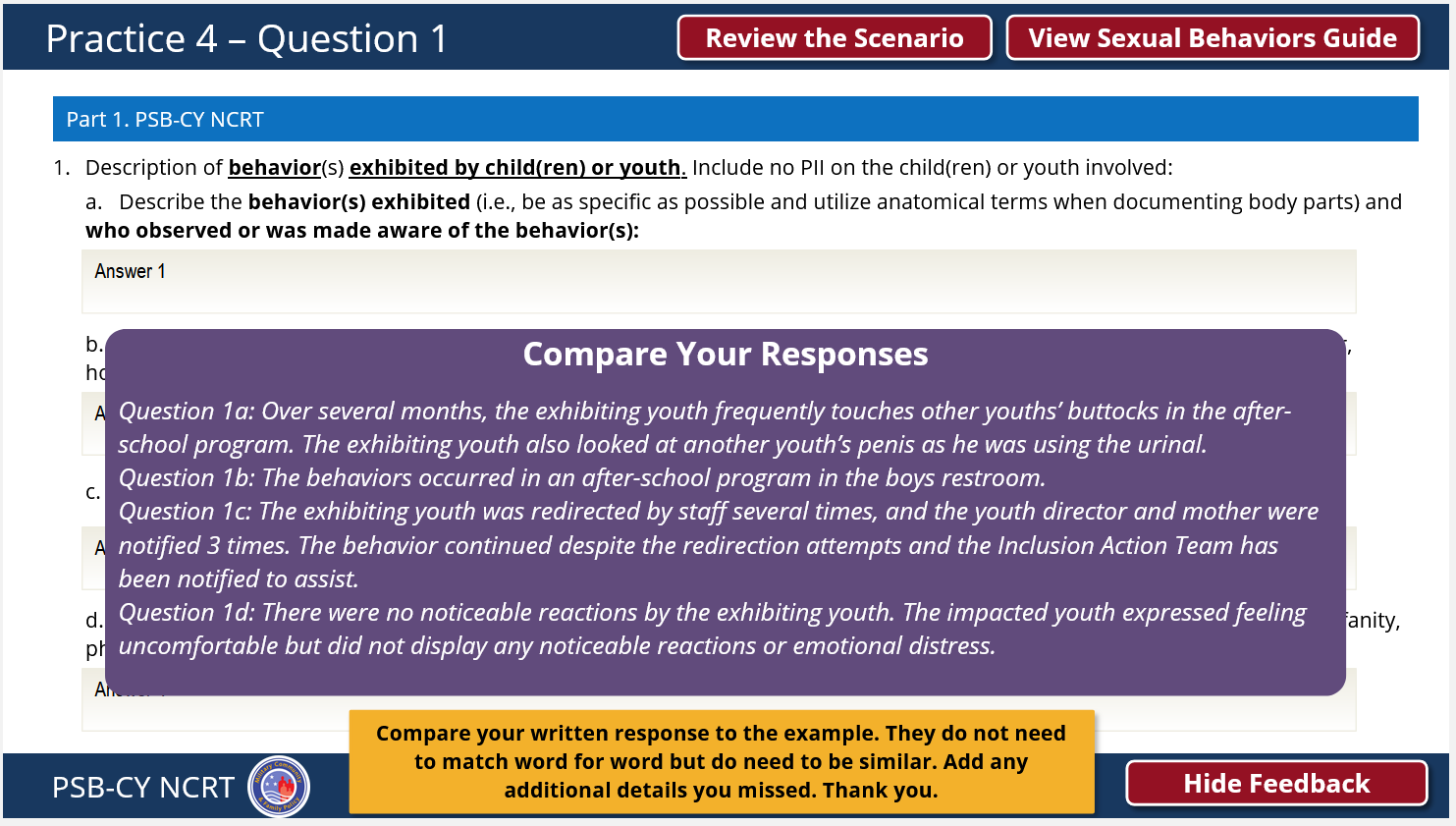
The goal of this training is to teach clinicians how to use a tool to assess problematic behavior in schools.
As the user goes through this scenario, they must fill out the tool as they would out in the field. The purpose of this tool is to make sure everyone fills it out the same way, so giving feedback even in this asynchronous module was essential. Click through a few pages and notice how the user is gently prompted with specific feedback and suggestions depending on which part they are getting stuck on.
Technical Simulations
Articulate Storyline is an incredible tool for creating custom simulations of complex processes. I created a product in which the goal was to completely replicate HVAC systems to train learners on how to assess malfunctions. I created simulators which have interactable points that manipulate output displays. These displays then change depending on the user interaction and where the simulator is on a resettable time loop. This combination requires consideration of time, interaction, animation, and changing variables. Thousands of triggers were needed to effectively and efficiently simulate an HVAC system. Then, each malfunction of the system had to be coded in separately. I had to be extremely efficient to meet the client’s timeline.
These products are contained within Storyline projects that provide further context and use workbook-style scaffolded learning. While it may be difficult to understand what the system is doing without the content, you can click around within the examples to see just how many interactions and moving parts there are in both of these modules.
HVAC Heating
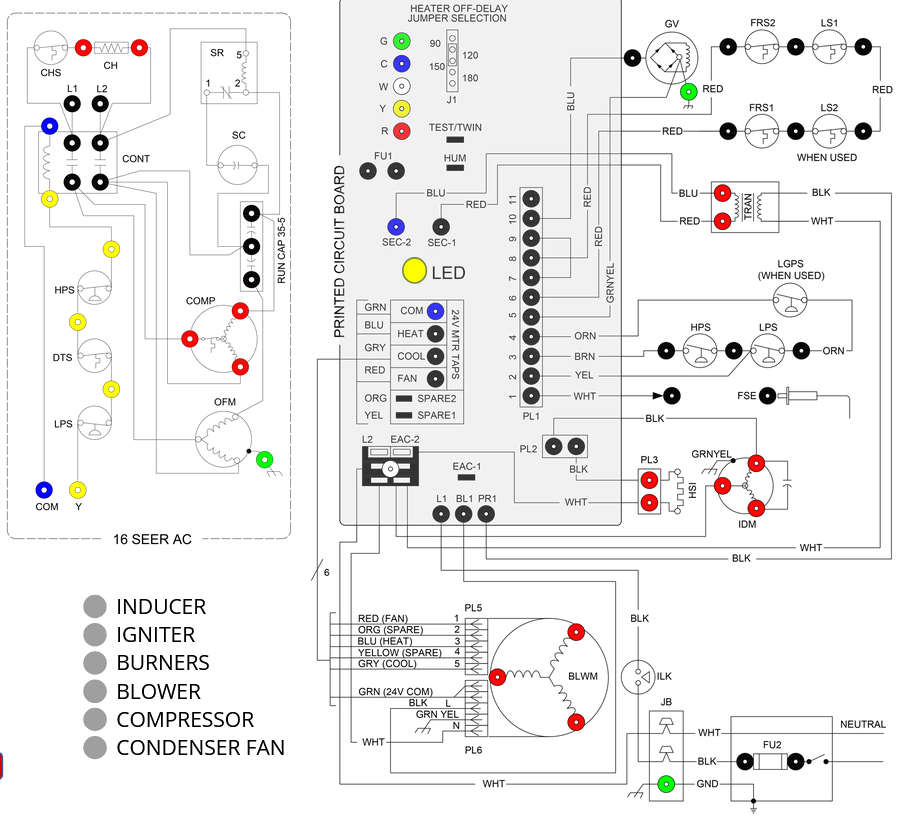
When building this simulation, I ran up against the boundaries of what could be built in Storyline. I overcame many issues by using layers to hold triggers like a style sheet in CSS, and using states almost like layers.
Then, when I had too many triggers and Storyline wasn’t able to publish the product, I had to figure out how to do the same thing again in a different way with fewer triggers, layers, and states. This build was a frustrating, but satisfying puzzle that helped the client transition from an only in-person training model to an online model.
HVAC Cooling
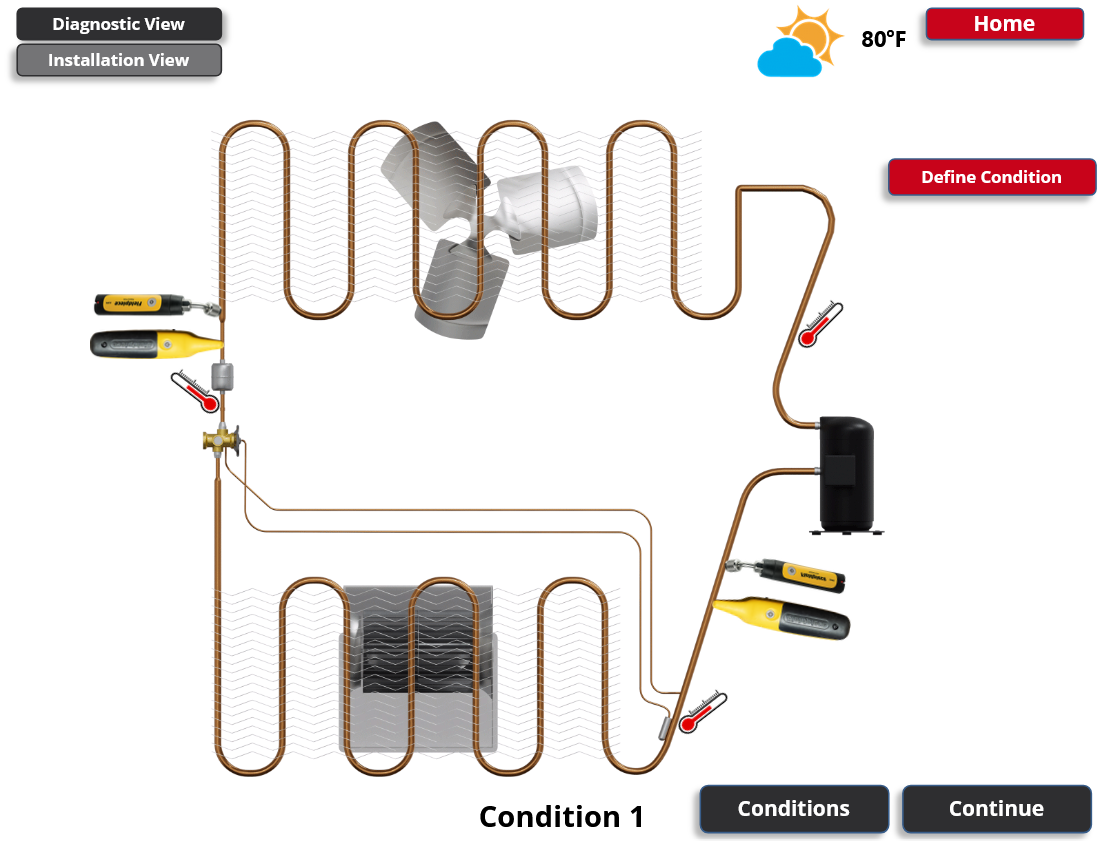
In an HVAC cooling system, the devices that analyze the state of the system display a stream of ever-changing numbers. This module was interesting because I had to figure out a way to have a series of ever-shifting numbers as well as a way to have those streams of numbers change based on malfunctions in the system.
The method that eventually worked was creating videos, then GIFs, of those streams of numbers. Then, I used some layering techniques within Storyline to situate those GIFs in the proper place.
Interactive Videos
Video Learning Modules
For some learners, feeling like they are learning from a real person can drastically improve their motivation.
I have designed, scripted, recorded, and edited a variety of video trainings. The examples here include one longer training that goes deep into a functional concept, and the other is from a series of microlearning trainings. Both projects were born from a need to have the efficiency of “Voiceover PowerPoint” style trainings, paired with a desire to have a more engaging and effective product. I implemented Mayer’s Personalization Principle to full effect by using language that was friendly yet still professional in tone in the scripting. I also used Camtasia to weave the speakers’ faces in and out. Then I used H5p to add interactivity and to give the learners a sense of control.
Microlearning Module
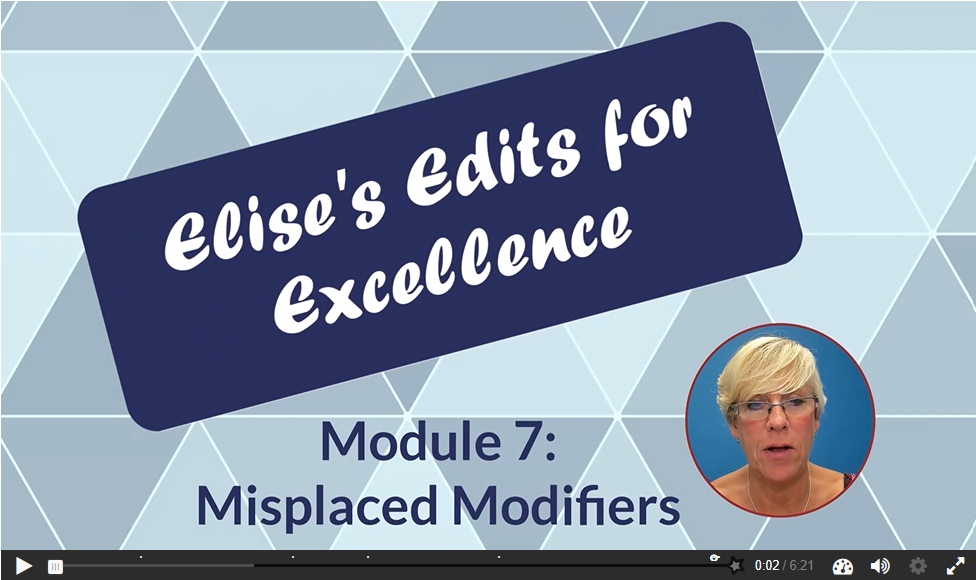
This module was part of a series short interactive video trainings. It was designed for internal use to improve the writing skills of a department.
Full Video Training Module
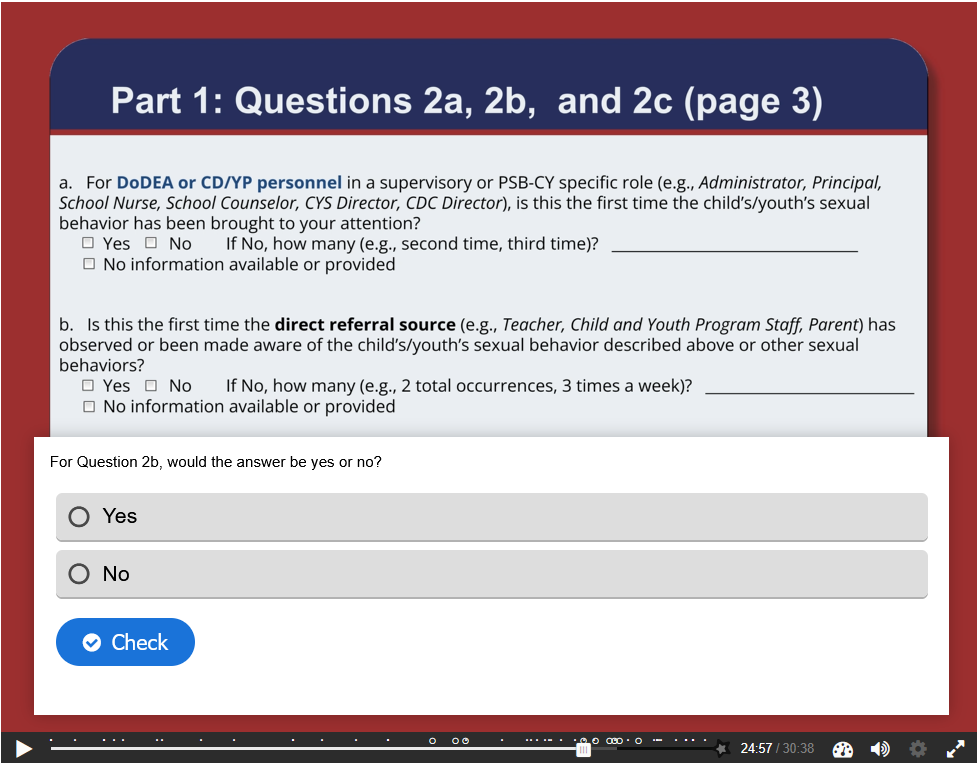
This module serves as a refresher training to another interactive module I built. It provides updates to the process it was designed to teach, and allows for practice of more scenarios.
LMS Courses
LMS Courses
The majority of LMS courses I developed have been for the Thrive Parenting Program. This project was a multi-developer effort in which we designed and developed a series of 40+ online parenting courses, available for free to the public.
Courses were designed within TalentLMS and primarily consist of activities created using H5p and Articulate Storyline. The courses also contain video and audio recordings I created using Camtasia, Adobe Premiere, and Adobe Audition. I collaborated with graphic designers and web developers to create media, and I used Adobe Photoshop, Adobe Illustrator, and HTML/CSS to refine and customize the media as needed for various parts of the courses.
All courses can be accessed by going to the Thrive LMS Course Catalog and creating a free account. To do so, navigate to the link, select the course you’d like to view, select: “Get this course,” and then follow the signup directions.
I was heavily involved in the scripting of this module because I wanted to make sure the content spoke properly to the audience. At best, a learner taking this course is going to be reluctant. They are likely being referred to the course by their loved ones or by a court order. I wanted to approach the learner with empathy, and crafted an introduction to really make them feel seen and understood.
I also advocated for a “take away” for this module. I wanted the learner to have something they could show to their loved ones or perhaps a judge that they not only went through the course, but engaged with it. If you take a look at the course, take some time to read the first page and think about the impact it will have on the learner. Then, take a look at the “workbook” style download that is meant to help the learner really interact with an online module.
Anger Management - LMS Course
Grandfamilies - LMS Course
This module was targeted toward grandparents raising grandchildren. As with Anger Management, this was a unique population and I wanted to target the content and activities accordingly.
I recorded and edited a voiceover of each page so that if the learner had visual difficulties, but wasn’t familiar with screenreaders, they could easily listen to each page rather than read it. I also created fun interactions to appeal to this audience like the final the final activity: a crossword puzzle with the core concepts as answers!

Interactive Storytelling
Interactive Storytelling
Storytelling is oldest human art and it is still the best way to teach—especially online. In almost all of my courses, I create situations, adapt scenarios, and write scripts to turn content into stories.
One of the fundamental principles of Andragogy (a.k.a. “Adult Learning”) is that learners want content that is useful and relevant to them. As part of the content process, I always ask SMEs for real stories. By using these as the root of scenarios, we add a level of realism to training. Nothing feels more real or is more relevant to learners than real stories from real people.
Once I have these stories, I use the tools I have to make these scenarios feel real. Often, this involves using images or actors to give the module a hint of humanity. It also often involves designing the module in such a way that the learner has choices to make. They have the freedom to go through the scenario and make bad choices. They are allowed to fail and try again. Real stories and real practice means real learning outcomes.
Risk Assessment - Mock Interview
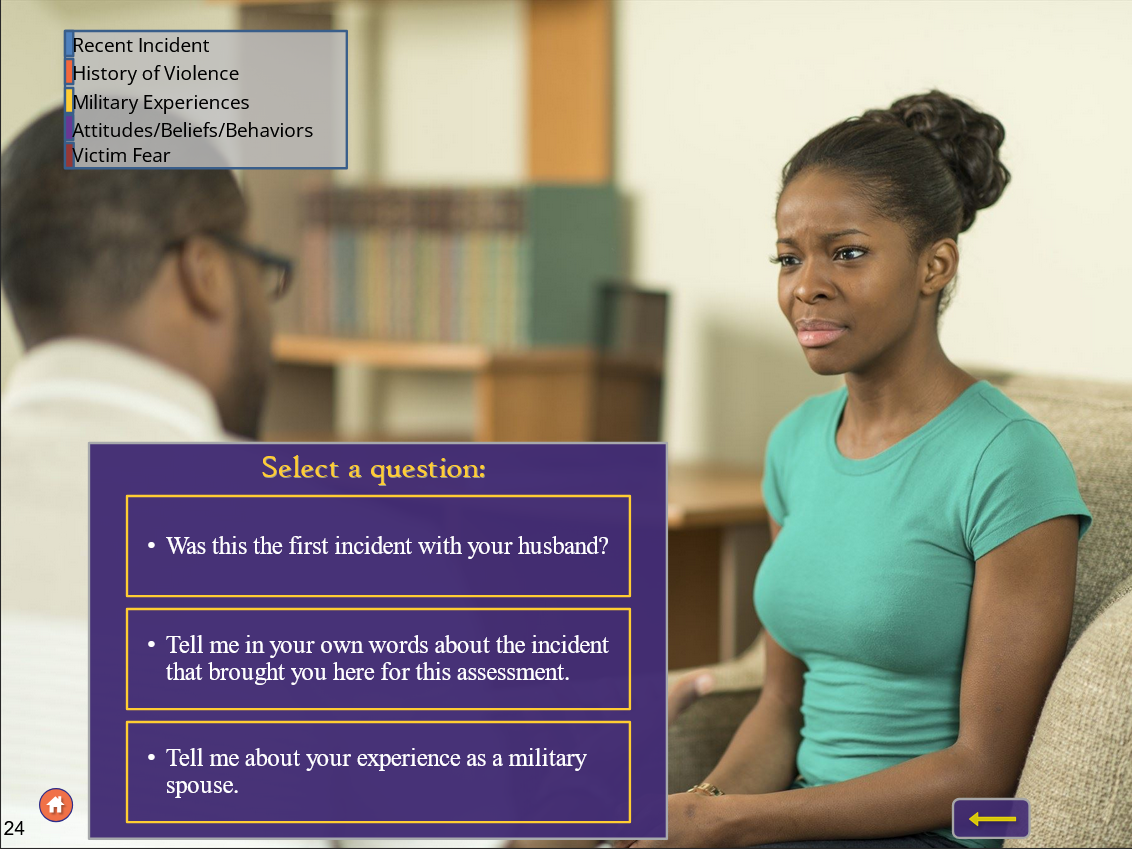
This module teaches how to collect information about a couple. Later in the module, the user uses that information to fill out a form. This form helps them assess the risk of future domestic abuse. In this example from the module, the first section is informational and the second part is interactive (feel free to click through the first section). As you go through, pay attention to the following ways I made the story feel more real:
For the informational section, I used a “supervisor” avatar to have a human face to deliver the exposition. It serves the duel purpose of situating the interview process in their day to day work life and having a quick and convenient way of delivering information.
For the interview activity, I used the illusion of choice to make the learner feel like they are in control, while at the same time making sure that the “correct” actions are modeled for them. The questions they can select can be in any order, and the progress bar makes it clear when they have “completed” that line of questioning. However, the learner’s curiosity can drive them to either dig down into specific topics, or stay at the surface level first, and gently approach difficult topics. No matter what they choose, they are being presented with great open-ended questions they can use in real interviews.
Interactive Family Stories
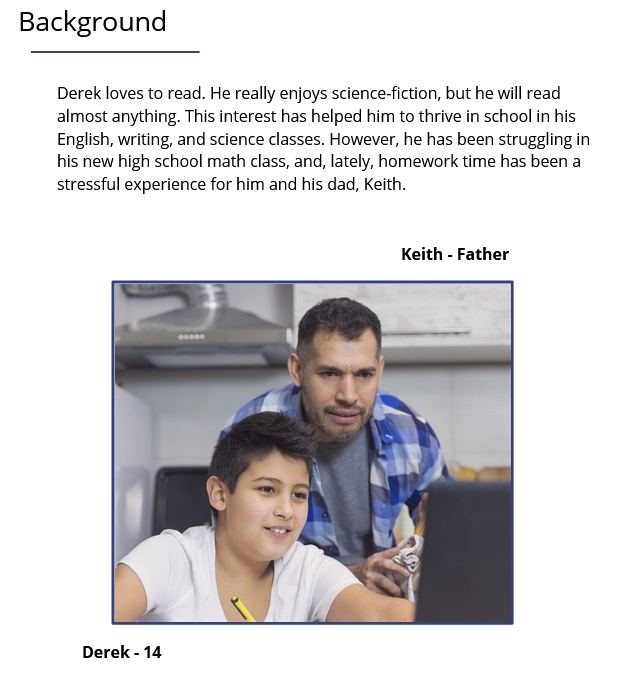
This activity was situated within a greater LMS Course that targeted the parents of teens. I created a number of vignettes featuring various characters and issues to give the content meaningful examples.
Check out Derek’s story for a good example of simple yet meaningful interactive story. After a “texting-like” back and forth exposition, the learner is presented with opportunities to make choices and reflect on what they would do if they were the parent. In this case, they are presented with a multiple-choice question in which all of the answers may seem correct. Having interesting, difficult decisions in this low-stakes environment is a great way to encourage deep thought and reflection in learners.
Mobile-Friendly Courses
Mobile- Friendly Courses
Mobile-friendly courses have a big upside. Namely, that the are device agnostic. Smartphones are ubiquitous and thus mobile-friendly learning solutions are extremely accessible to most audiences.
They also have a downside in that the low barrier often means low investment from the learner and, potentially, a low return. It can be difficult putting serious attention to a course when we’re taking that course on the same device we use for scrolling social media and for sending cat photos to our loved ones.
My approach to mobile-friendly learning is to be selective and intentional about when and how to use it. In the examples provided, I discuss a little bit about how I approached this for these Rise courses.
Motivational Interviewing - Rise Training

Typically, mobile-friendly learning works best when it aligns with the same way we typically use our mobile devices—brief, targeted skill training. This training is different. It is a full training covering a variety of smaller concepts within a bigger umbrella concept
As you click through the training, look for some of these techniques I used to make this mobile training work well despite its more “traditional” scope:
Intentional topic pagination. Each “page” is one clear concept. There is a summary clearly delineating when one topic stops and the next starts. If they are in a rush or have the low attention span associated with phone use, there is a clear marker to say “You’re good here, take a break. Reflect and come back later.”
Use of storytelling. One of the draws of social media is a connection to other people and their stories. In many of the examples in this, there is a named person and a whole photo set of that person going through the steps described in the training.
Meaningful interaction through combining tools. For every concept in this training, there is an activity so that the learner can practice. When I ran up against the limits of Articulate Rise, I embedded Articulate Storyline files so that we could implement activities that were more meaningful, more interactive, and facilitated deeper reflection for the learner.
SEAS Course with Handout Generator - Rise Trainings
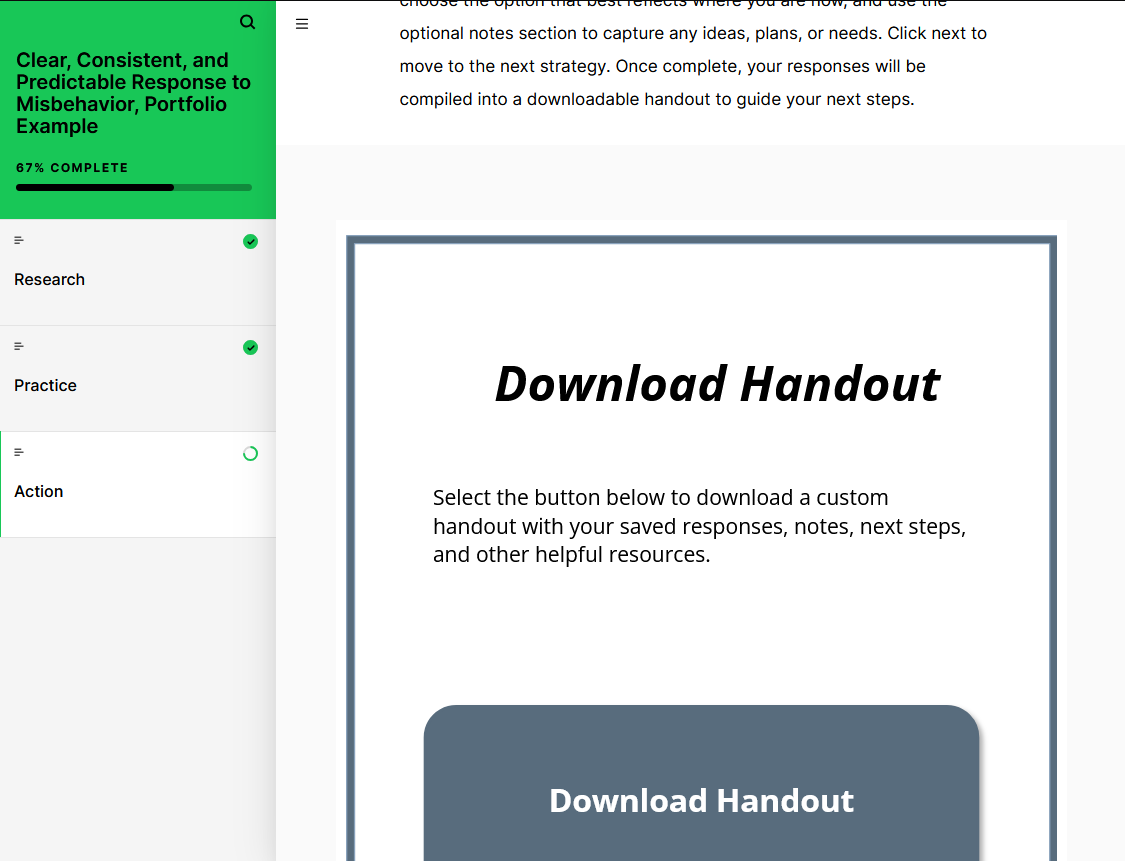
This example is part of a series of 150+ microlearning modules that I worked on. Each of these is much more like a “classic” microlearning module as each one is short (can be taken in just a few minutes) and covers one core topic per module.
However, many of these module topics are difficult and nuanced, revolving around how to address difficulties like suicide in school environments. My main focus on these modules was to figure out how to transition the learners from passive learning to active application in their own schools.
To accomplish this, I created an Articulate Storyline module with some custom Javascript code and embedded it within Rise. In the Storyline activity, the user can rate each core concept based on how important it is to implement in their specific situation and write brief notes to themselves. Then, they can press a button and download a PDF handout.
This PDF handout is 508-accessible, print friendly, and contains all of their notes. It also includes all of the useful links from the course, the key takeaways, and all references. In short, it acts as a convenient next step and a transition from learning to action.